Frequently Asked Questions
Does STLCost upload my STL or G-code file to a server?
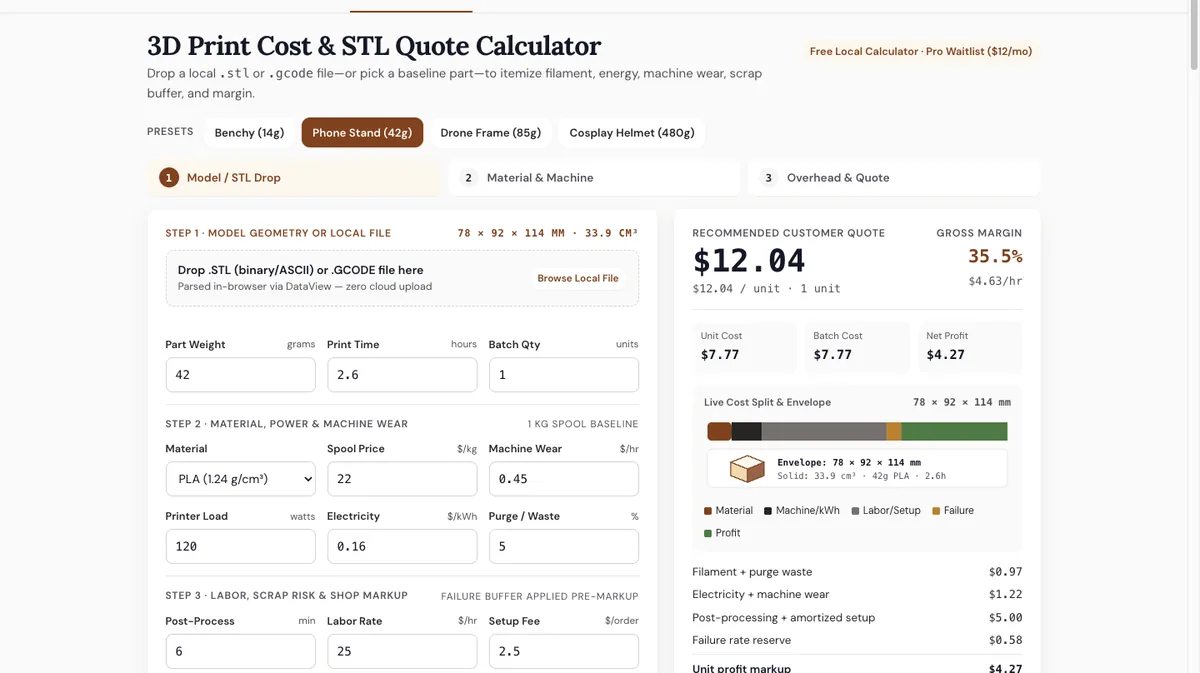
No. Every binary STL, ASCII STL, and G-code file you drop is read locally in your browser via FileReader and DataView. Client IP, CAD meshes, and slicer comments never leave your machine.
Why does STL volume weight differ slightly from my slicer's final gram estimate?
An STL stores only the outer watertight triangle shell. STLCost converts solid volume and surface area into a shell-plus-infill estimate (default 1.2 mm walls, 20% infill, 8% supports). For exact toolpath weight, export G-code from PrusaSlicer, OrcaSlicer, Bambu Studio, or Cura and drop the .gcode file directly into Step 1.
How much should I charge per hour for printer depreciation and maintenance?
Divide your printer's purchase price plus expected wear parts (nozzles, PEI sheets, belts, hotend thermistors) by realistic billable hours before replacement. A $600 mid-range CoreXY printer run for 1,500 billable hours with $150 in spare parts costs $0.50/hr before electricity.
What failure rate buffer makes sense for commercial FDM quotes?
Dialed-in PLA batches on enclosed printers typically run 5% to 8% scrap. Tall ASA/ABS parts, fine 0.2 mm nozzles, or overhang-heavy cosplay shells warrant 15% to 25% so one warped plate does not wipe out the job margin.
What is included in the free calculator versus Maker Pro and Print Farm?
The browser calculator, local STL/G-code parsing, compare basket, share links, and CSV export are free today without an account. Maker Pro ($12/mo) and Print Farm ($29/mo) are planned paid tiers currently on an early-access waitlist—when they launch, they will use transparent monthly Stripe billing with no $0.99 trial traps.